Skip to content
QEST Platform/Scheduler

Plan the day in minutes, not mornings.

Inside the QEST Platform 6 Scheduler.

Foundation

Built around the dispatcher.

A request comes in by phone or email. Create a work order in seconds, client and project from dropdowns, add location, contact and instructions, and assign a technician now or later.
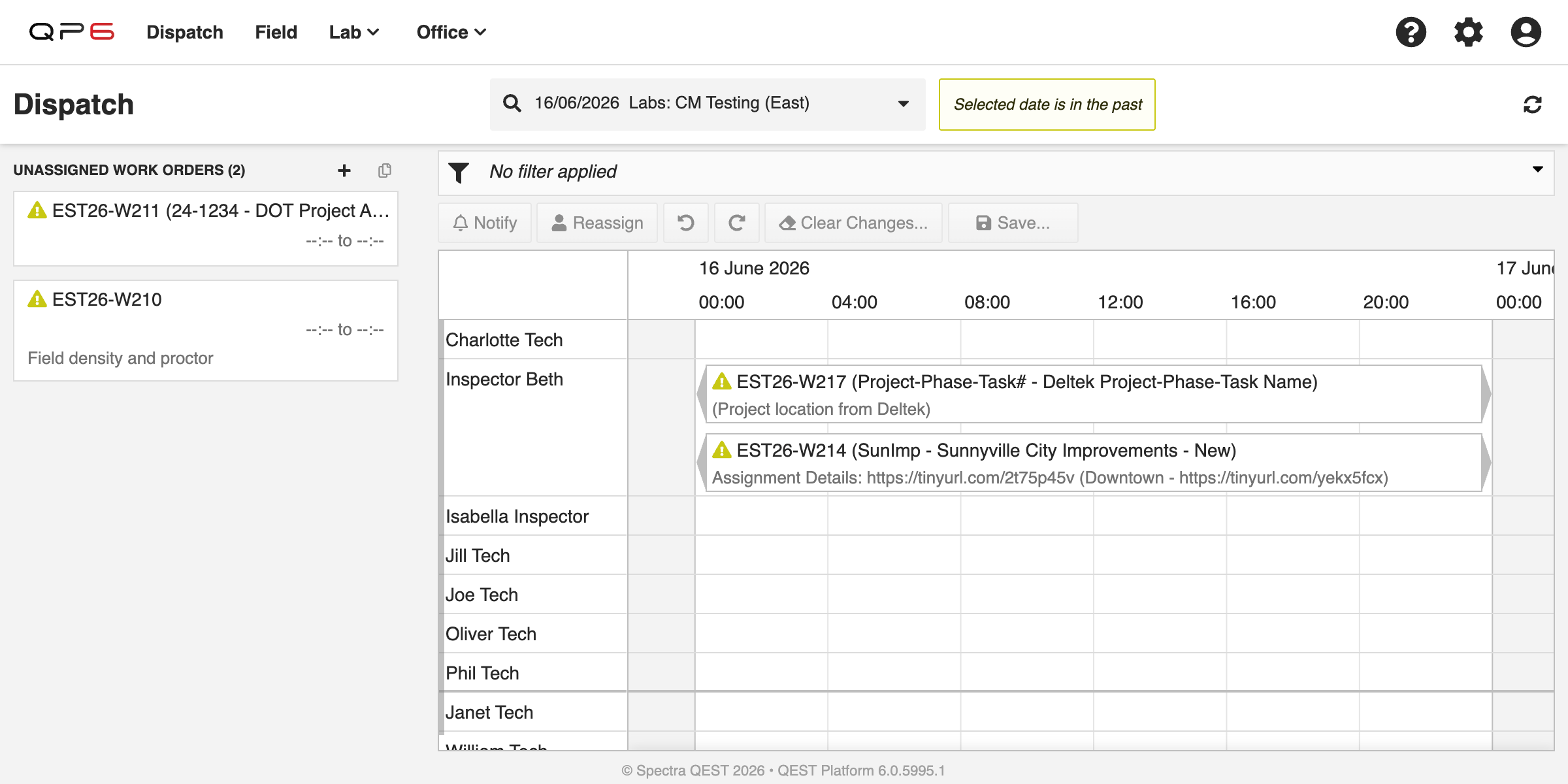
Dispatch board: unassigned work orders + technician timeline
Capability

Assign with intelligence.

Dispatch board: assignment timeline
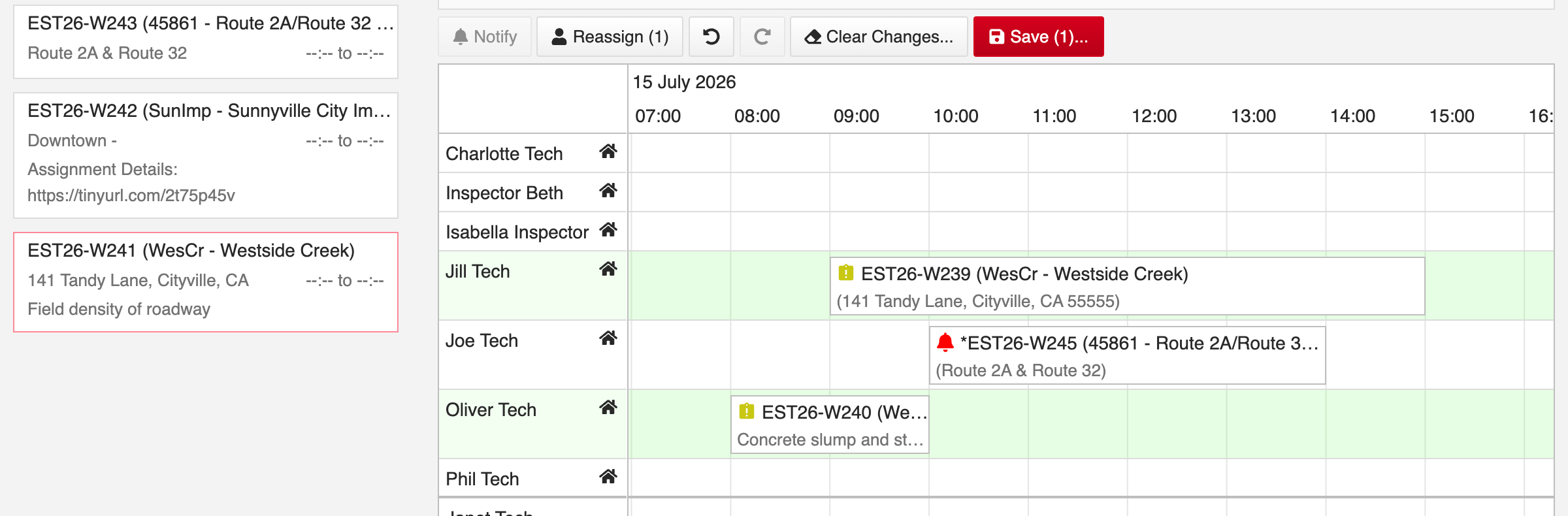
Drag work onto the timeline

Drop unassigned work orders straight onto a technician’s day.

The right tech stands out

Project experienced techs highlighted; unavailable techs greyed out.

Filter to the right people

Narrow by qualification, home lab or project history.

Move and resize jobs

Drag to change a job’s start time and duration.

Reassign in bulk

Bulk select and move many jobs to another technician at once.

See status at a glance

Missed, complete and cancelled work is flagged by icon.

Automation
Notify

Notify once. Chase only the exceptions.

One click pushes the day’s schedule to the field by app notification or email. Statuses flip from pending to confirmed on their own, so you only follow up on the stragglers.

Field-to-lab

Never lose a specimen.

Pickup work orders are auto raised and auto labelled so specimens left in the field keep surfacing on the schedule until they’re collected and back in the lab.

Built for what’s next

The next-generation QEST Platform: a modern, responsive web application designed to keep evolving, purpose-built for CMT, inspection and geotechnical workflows.